Harnessing AI by design
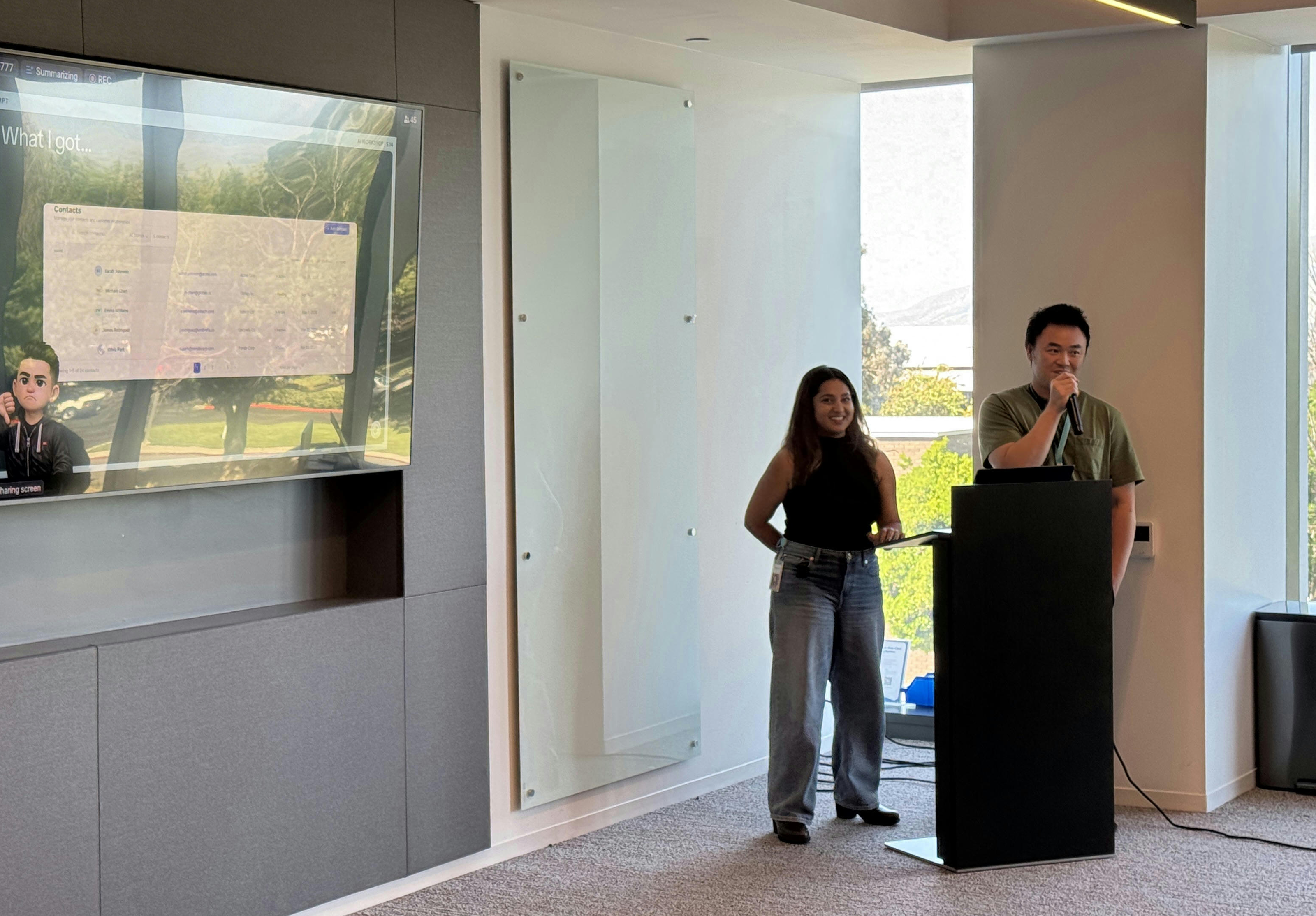
This year, I presented at TikTok's internal AI Workshop — a series where designers across the org share how they're integrating AI into their practice. My session was about something I'd been quietly obsessing over: could Claude Code generate designs that actually looked like our product, not just a convincing approximation of one?
I work on a global CRM product at TikTok. Like most enterprise design teams, we operate across a complex design system — multiple component libraries, layered token structures, and a significant amount of institutional knowledge that lives nowhere but in people's heads.
The short answer: yes. But the path there was more instructive than I expected.
Problem - Without any configuration, Claude Code has no knowledge of your product. Ask it to design a CRM list page and it will produce something clean, functional, and completely generic — wrong colors, wrong fonts, components sourced from wherever it decides to look. The output could belong to any product. It just won't belong to yours. The issue isn't capability. It's context. Claude performs exactly as well as the information it's given — no better, no worse.
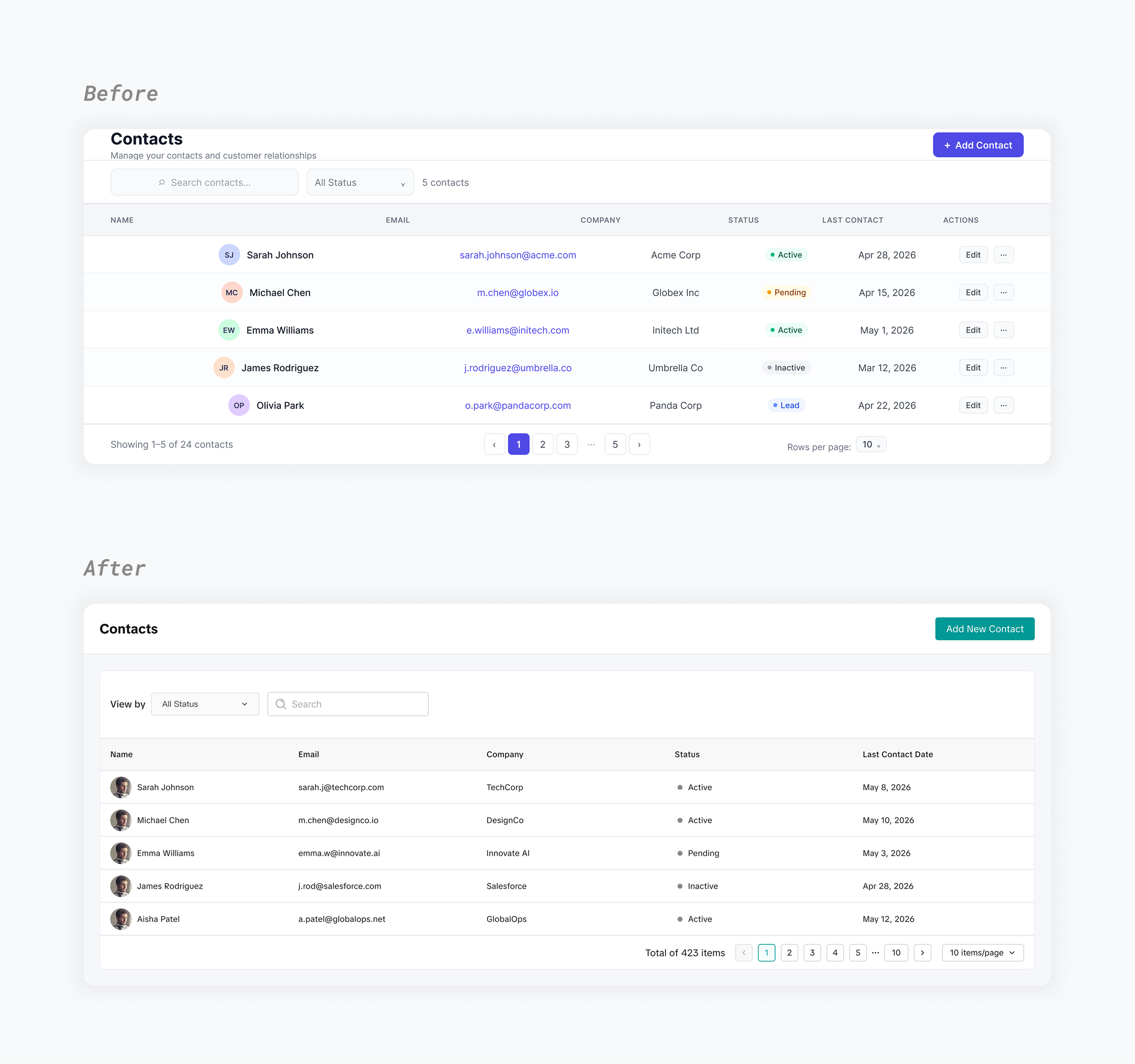
The approach - I built a structured configuration system using markdown files — instructions Claude reads before touching Figma on any design task. The goal wasn't to constrain creativity. It was to give Claude a working knowledge of our product so it could make the right decisions on its own.
I landed on five files, each with a single, clearly defined responsibility:
•The rulebook — behavioral rules, component priority order, and an audit checklist Claude executes before delivering any output.
•The primary component index — a catalog of our main component library. Claude consults this first, before looking anywhere else.
•The extended library guide — file references for our broader design system libraries, organized so Claude knows precisely where to search next.
•The layout pattern reference — links to real screens from our product, used for layout logic only. Never for component selection.
•The fallback spec — a last-resort reference containing our token values, typography scale, and spacing rules for when no library component exists.
Here's how they work together:
CLAUDE.md  ·  Governs all behavior and rules
        ↓
Check primary library first
        ↓ not found
Check extended libraries
        ↓ not found
Use fallback spec  ──────────────────→  Delivery Report
        ↓ found at any step ↗            What was used vs. custom drawn

- - - - - - - - - - - - - - - - - - - - - - - - -
Patterns.md  ·  Layout reference only, runs in parallel
The structure was intentional. A single monolithic file is easy to misinterpret and hard to maintain. Splitting responsibilities across five files means each one is authoritative in its domain — and Claude treats it that way. The separation between layout reference and component selection is particularly important: without it, Claude learns component choices from screenshots rather than following the priority rules. A subtle distinction with significant consequences.
What changed - With the system in place, Claude consistently sourced the right components, applied correct brand tokens, and respected our layout conventions. After every task, it produces a component report — an itemized record of what was used and what was custom-drawn — turning QA into a quick scan rather than a thorough review.
For standard CRM pages — list views, detail pages, dashboards — what previously required hours of careful work can now be a credible starting point in minutes.
The honest takeaway - Output quality is a direct function of configuration quality. The files I built aren't sophisticated — they're just context, structured deliberately. But that structure is the difference between a design that looks like ours and one that looks like a well-executed guess.
Errors still happen. Claude occasionally skips a library component or makes a layout decision that needs correction. The right frame isn't "AI as a tool that should work perfectly." It's "AI as a capable collaborator that needs clear direction and occasional correction." The component report makes that correction fast enough that it doesn't become friction.
What this project reinforced for me is less about Claude Code specifically and more about a broader design practice: the designers who get the most out of AI will be the ones who invest in defining their system clearly enough that the AI can actually follow it. That work is harder than writing a prompt. It's also more durable.
Weekly Sync AI Assistant
I created an agent to help the team handle our weekly updates.
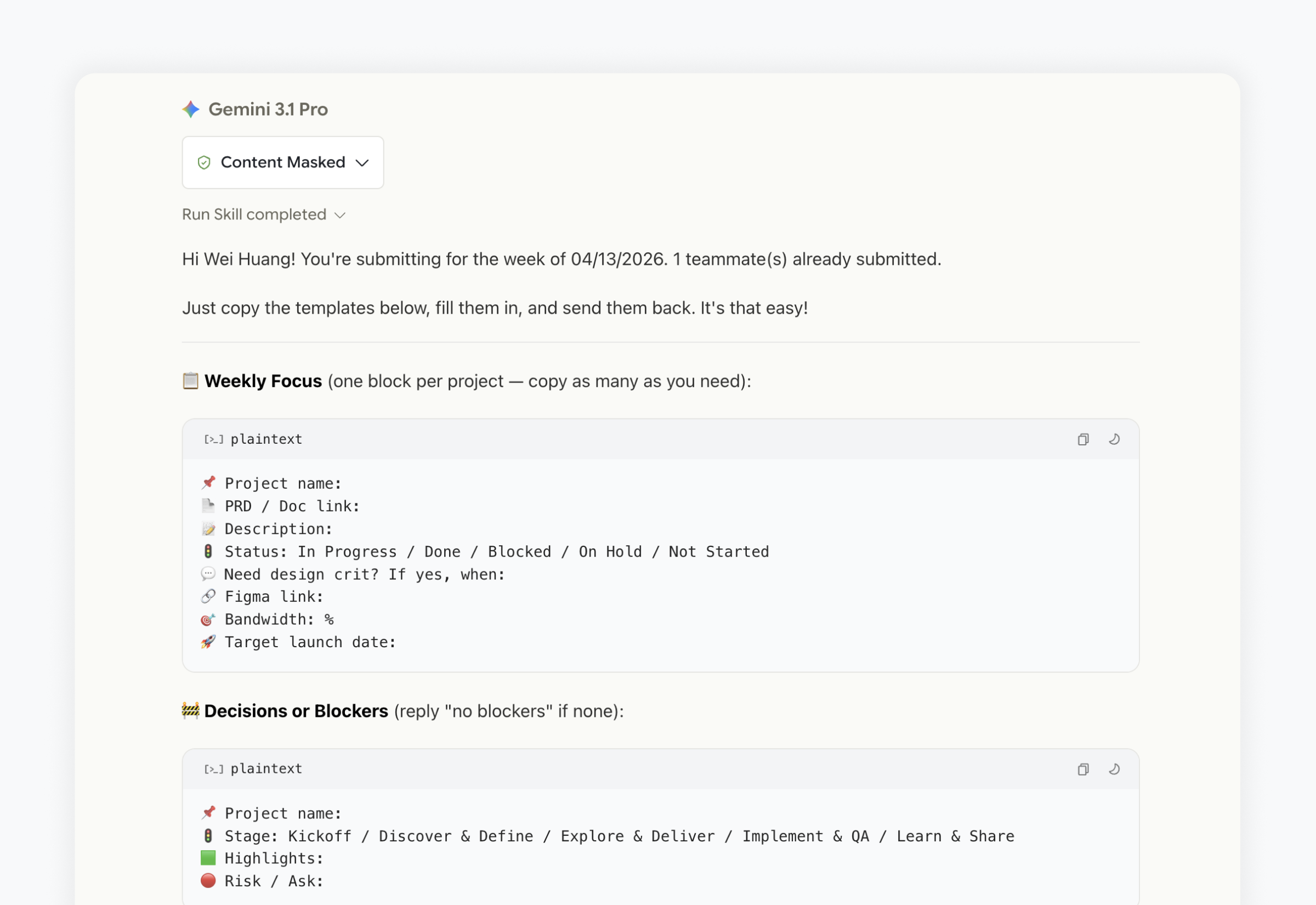
Problem - Our design team updated a shared doc every week — find the right spot, copy a table, fill it in, don't overwrite someone else's section. Slow, error-prone, and entirely manual. I wanted to know if conversational AI could replace the whole workflow.
What I tried and what I learned - Plain-text input was the obvious starting point. It failed fast — the AI mixed up data across projects, assigned links to wrong entries, merged descriptions that didn't belong together. I switched to an emoji-tagged template where each emoji acts as a parsing anchor. Still just a chat message, but now the AI has reliable structure to extract against.
The shared table broke next. One row per person couldn't handle different project counts, and concurrent edits wiped each other out. I restructured it so each person gets their own named block — same doc, isolated data, names visible in the sidebar.
The most deliberate decision was what I cut. I'd built an image upload flow — drop screenshots in chat, system embeds them in the right cell. It worked for simple cases, fell apart with multiple images across multiple projects. Matching was unreliable, confirmation flow was tedious. I removed it. Text goes through AI; screenshots go directly into the doc. The real design call was knowing where to draw that line.
How it works - Trigger the tool, fill in a template, confirm a summary — done. Concurrent submissions, formatting, and archival all happen behind the scenes.
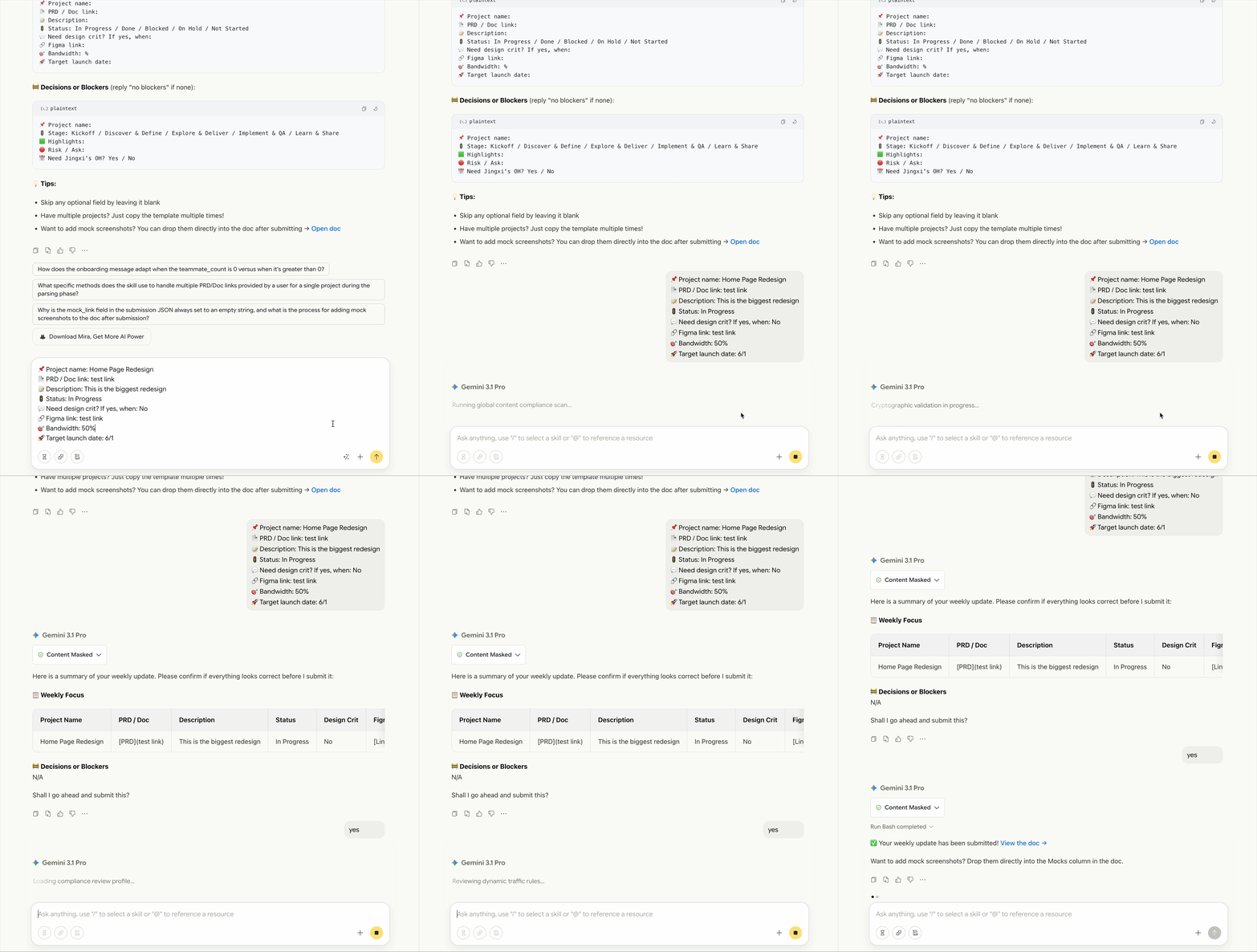
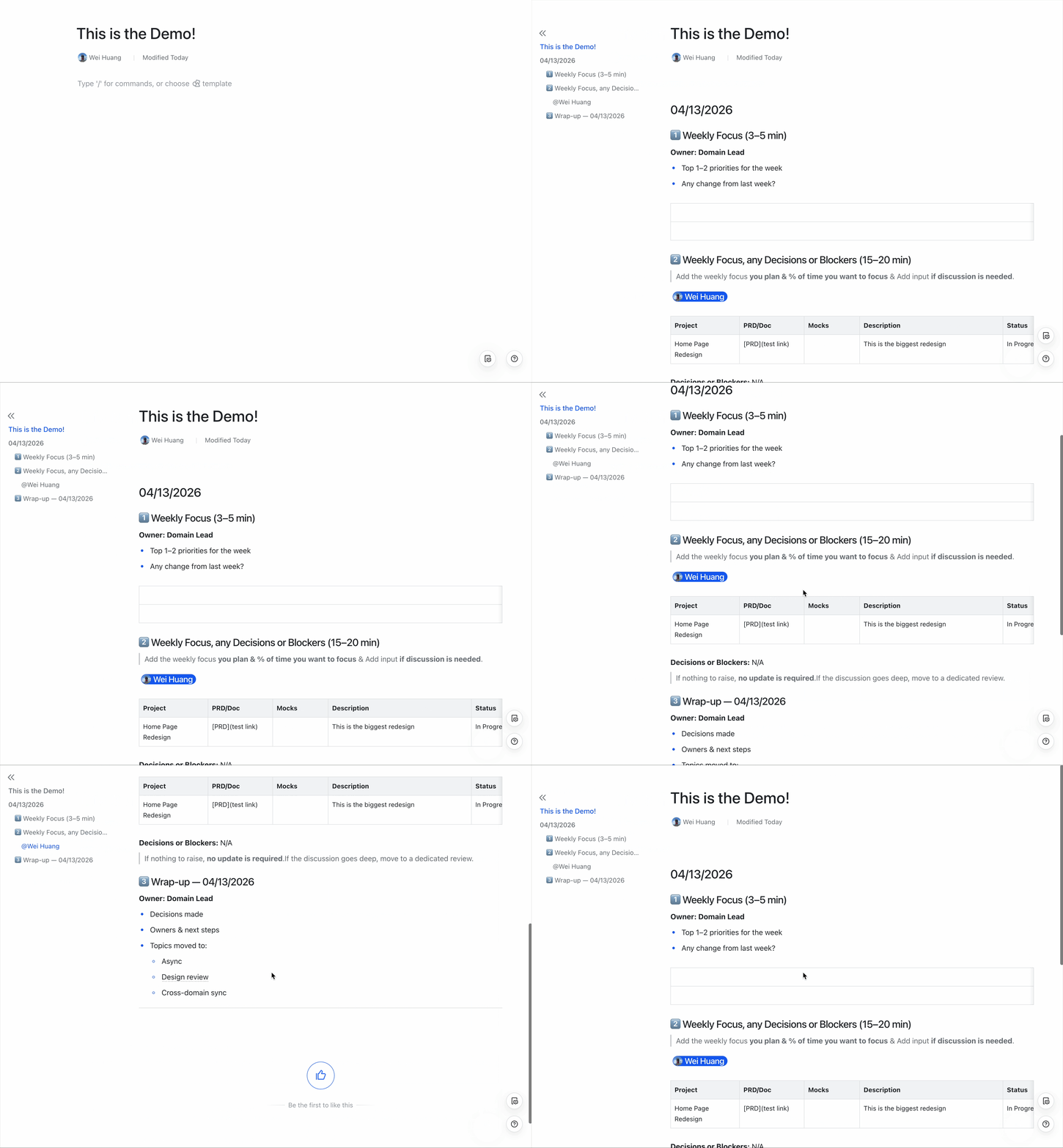
Shipping it - I packaged it as a shareable AI skill — one link to install, I own the code, teammates just use it. Push an update and everyone gets it on next use. No re-installs, no version mismatch. Prototype to team tool in under a minute.
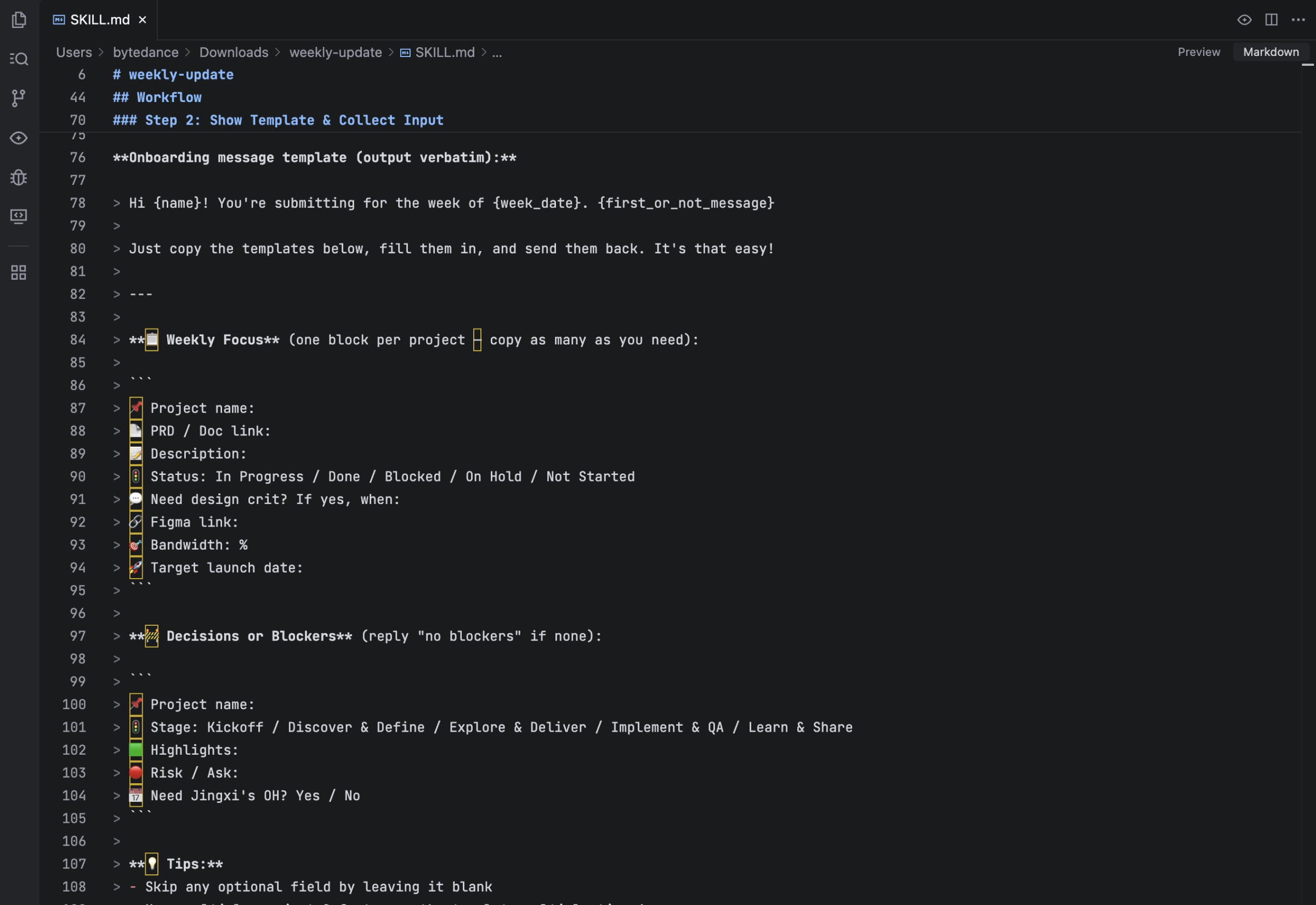
Takeaway - AI-native design isn't about automating everything — it's about knowing what AI handles well, what it doesn't, and making the seams invisible.
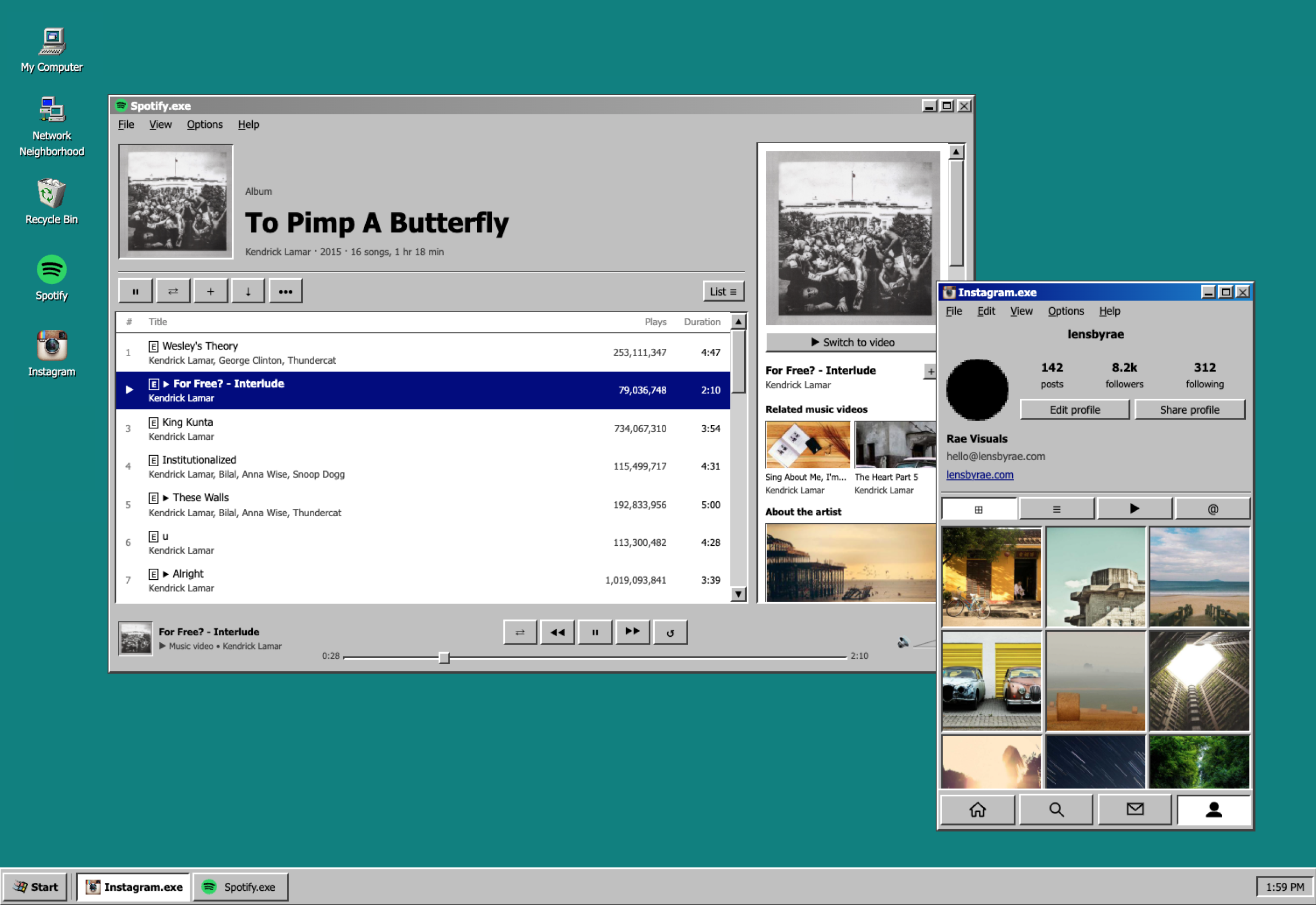
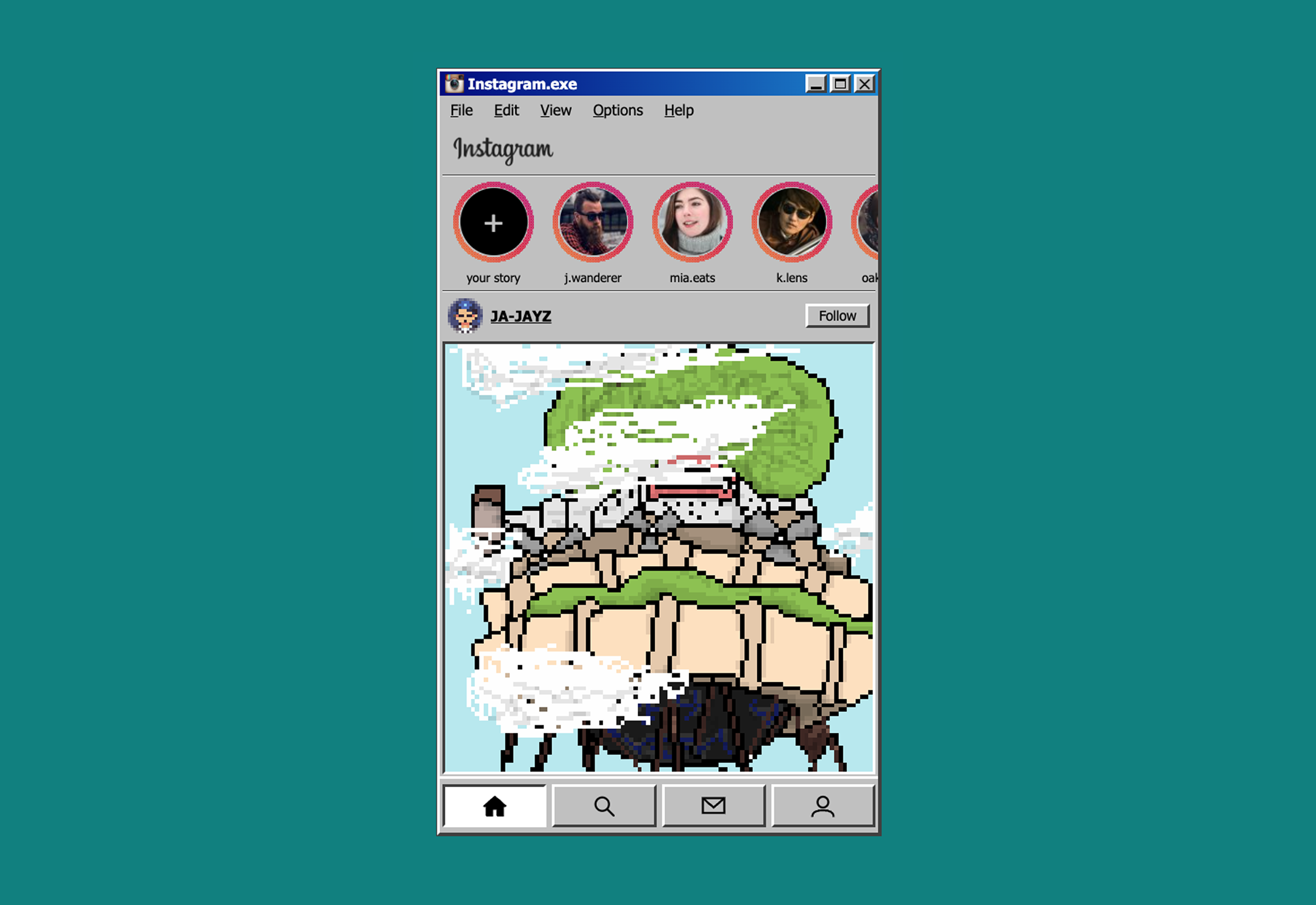
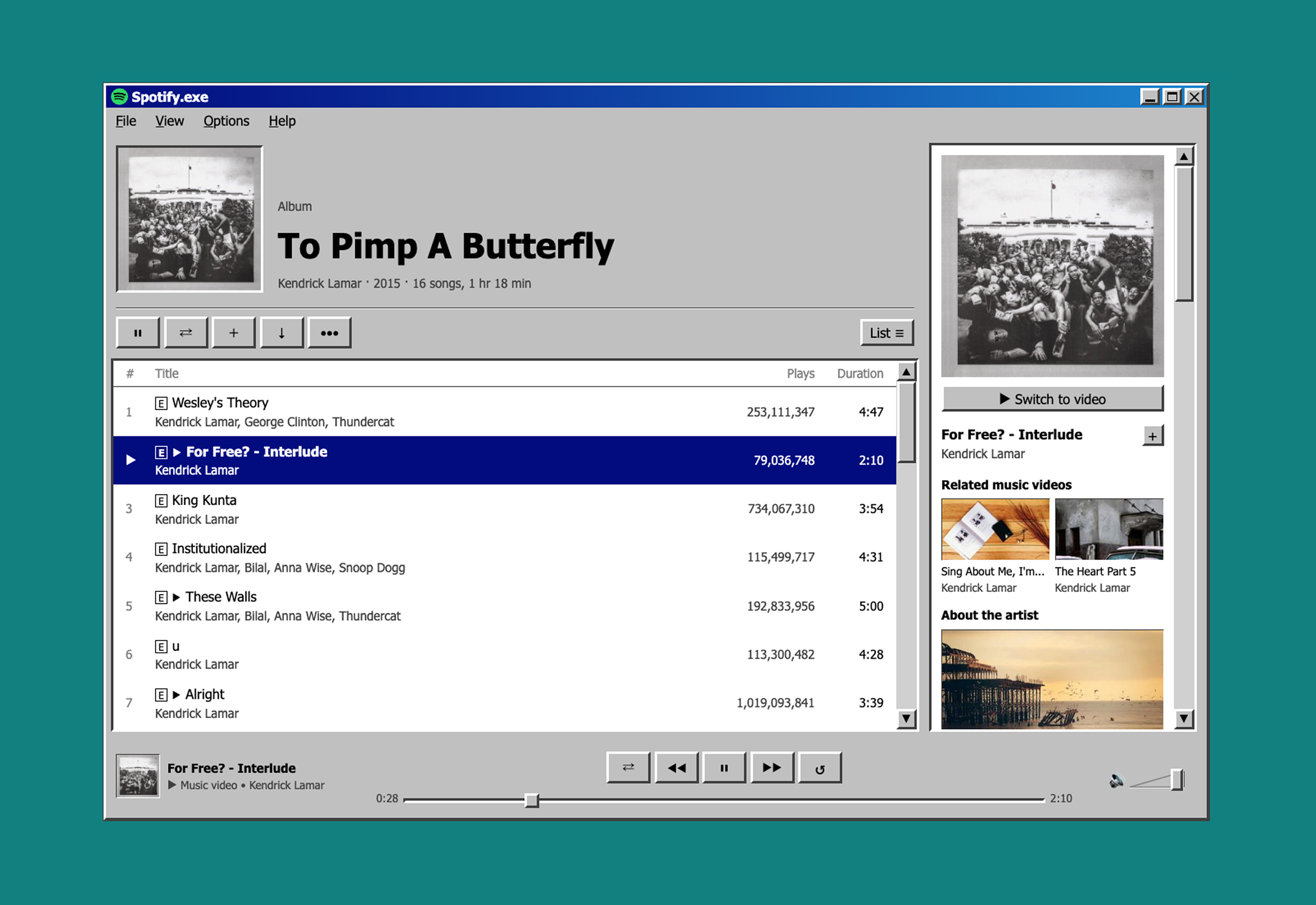
App.EXE
App.EXE is an experimental visual project that reimagines modern apps like Instagram or Shopify as if they were built in 1998 — feel free to explore the different part of the apps through the lens of Windows 98. But the real story is what it represents for designers in the AI era. Historically, turning a design idea into a shipped, interactive product required a team. This was built solo, with no engineering background, using Claude Code as a collaborator — and with the right setup and commitment to learn, this kind of end-to-end execution is achievable within days. The gap between design thinking and working product has never been smaller — and designers who learn to close that gap themselves will have an entirely different creative range.