Role
Lead Product Designer
Year
2022 - 2025
Teams
- Merchant Success & Growth
- Merchant Integrity
- Ads Manager
Merchant Catalog Overview
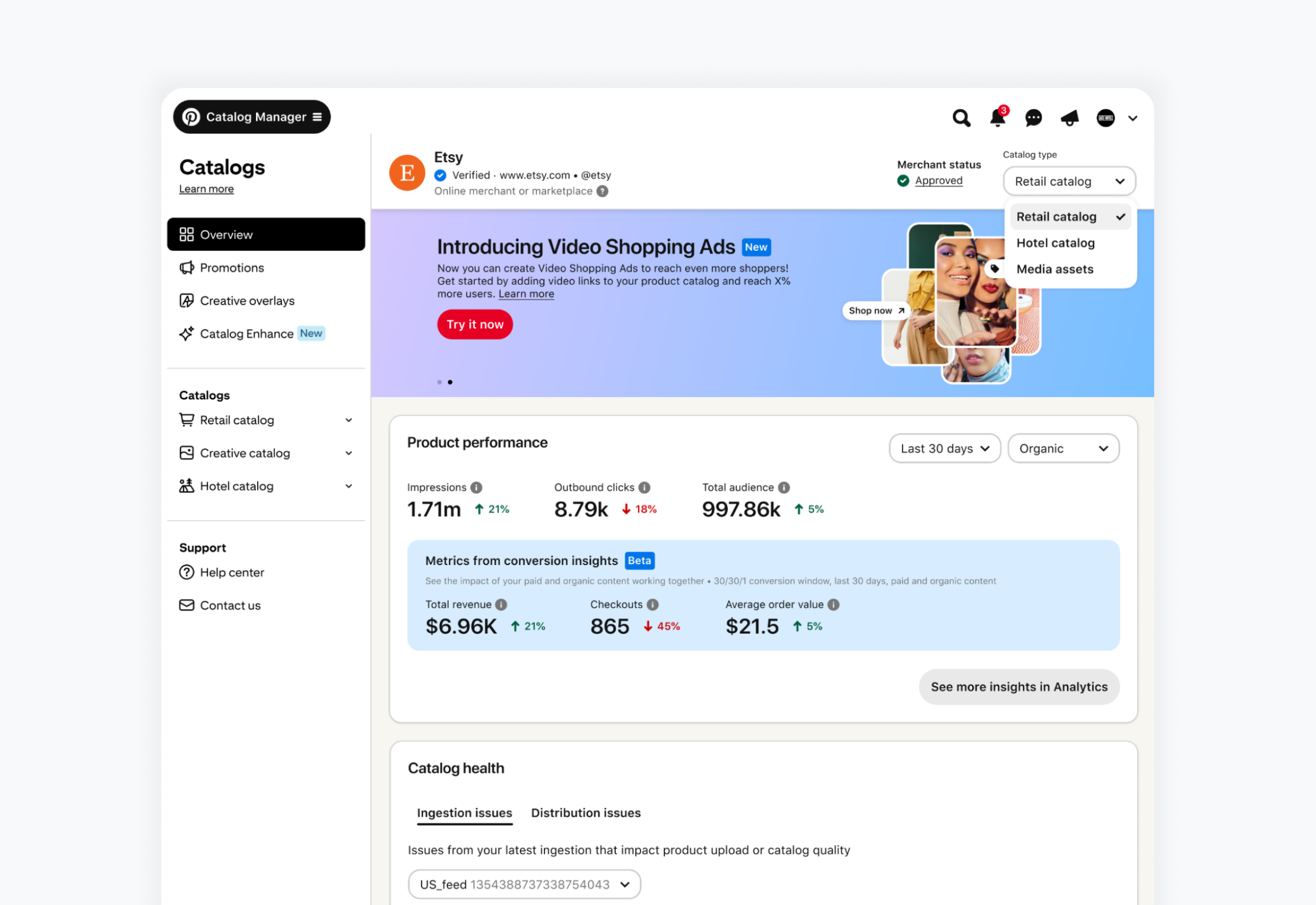
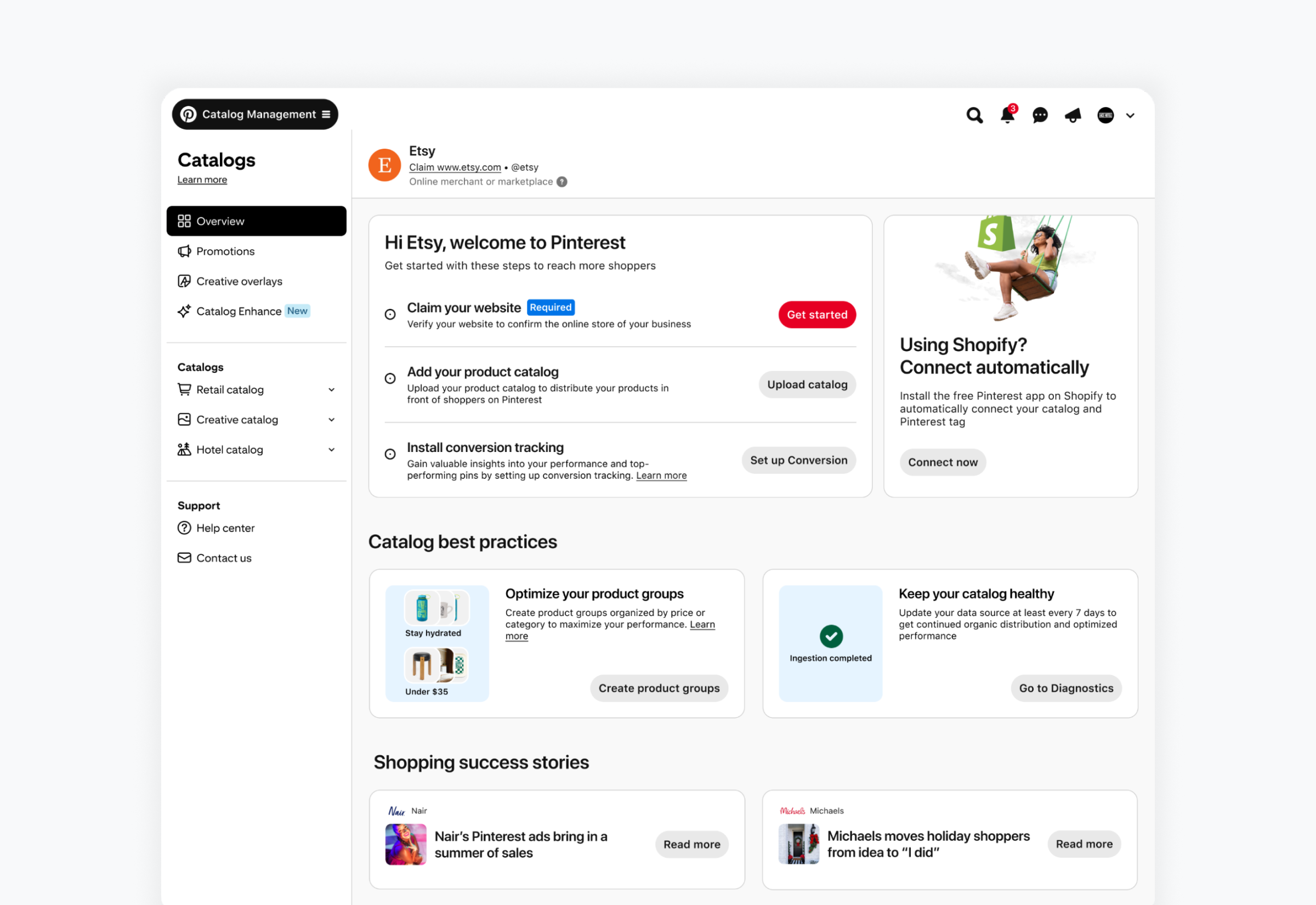
Catalog Manager is where merchants onboard, manage, and optimize their product catalogs on Pinterest. I owned the end-to-end design vision for its overview page, partnering with cross-functional teams, adjacent product areas, and senior stakeholders to align on it and secure executive buy-in.
The challenge - The same page has to serve merchants at very different moments. A merchant who has just signed up needs to know where to start: claim a website, upload a catalog. An established merchant wants to know how their products are performing and what needs fixing. A page built for one leaves the other with nothing useful to do: a new merchant has no performance to look at yet, and an established one doesn't need to be told to claim a website.
The approach - I designed the overview around where the merchant is. While onboarding is incomplete, the page puts the remaining tasks front and center, with the one required step clearly marked and a shortcut for Shopify merchants. Once onboarding is complete, it switches to performance and catalog health, showing paid and organic results side by side. Either way, the page answers the same question: what should this merchant do next?
Promotion Feed
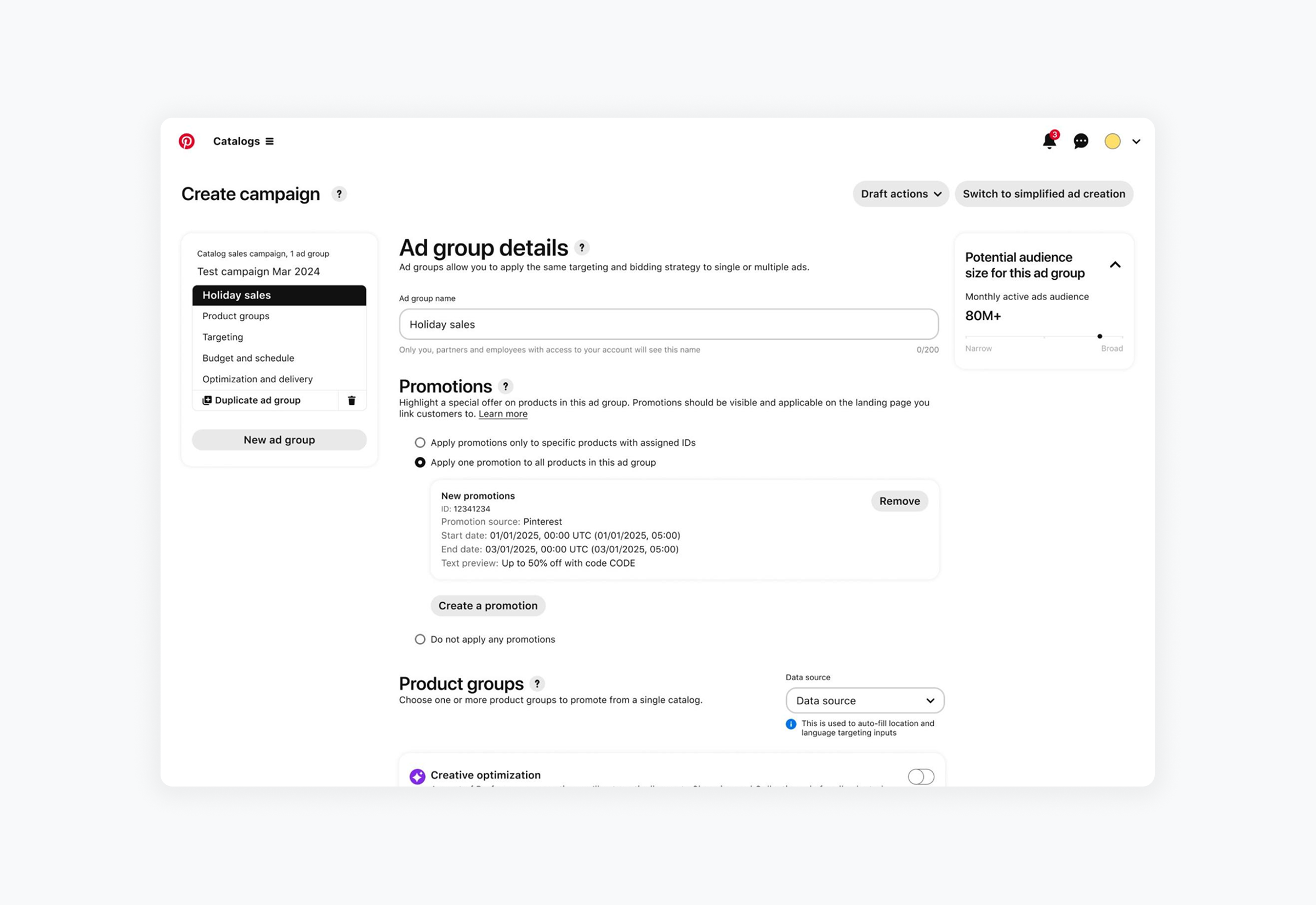
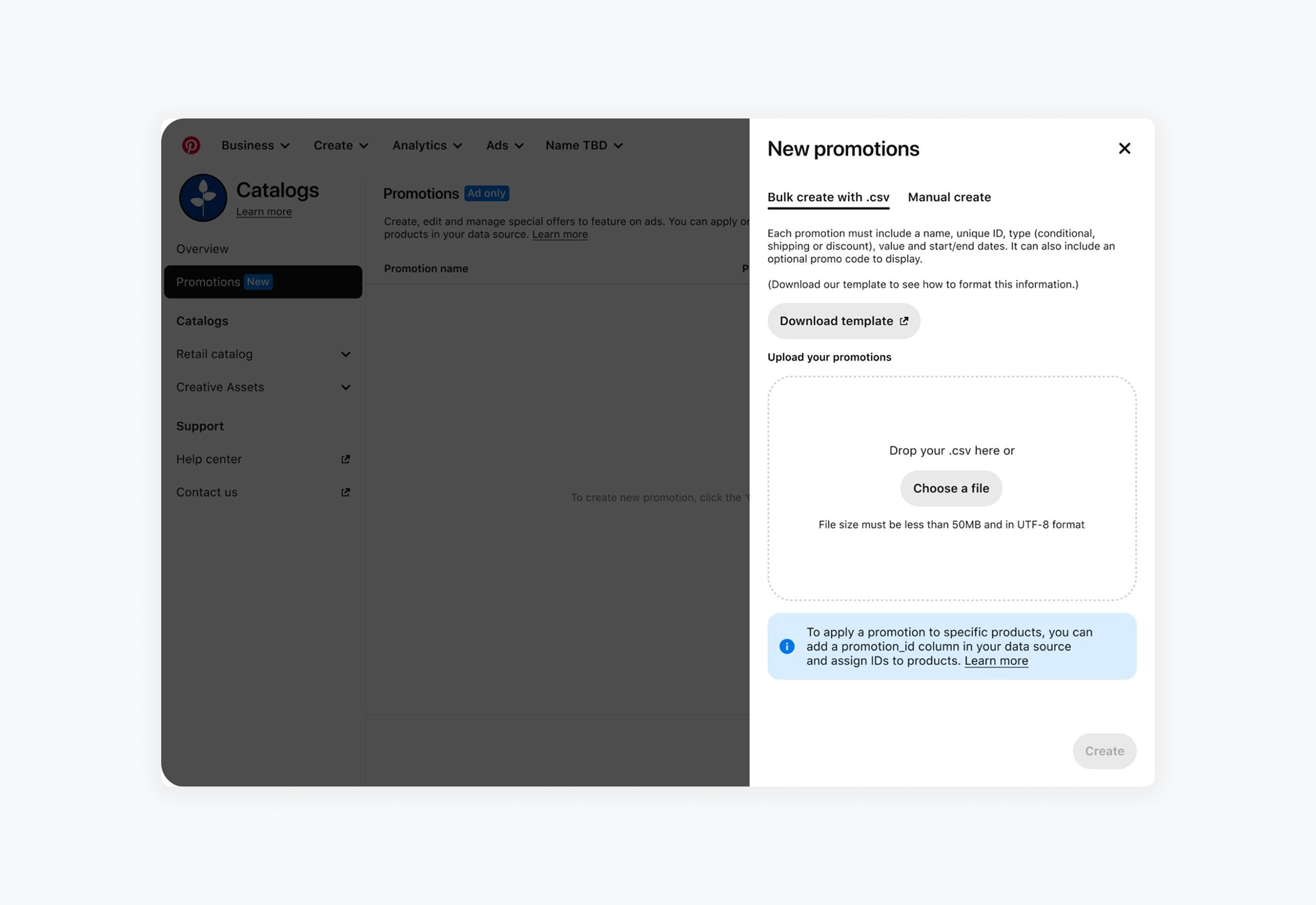
Promotion Feed lets merchants put their deals in front of shoppers on Pinterest. I led the end-to-end design of a holistic merchant experience across Catalog Management and Ads Manager, so that as merchants scaled their offers, shoppers kept a smooth path from discovery to purchase.
The challenge - Merchants don't run promotions the same way. A small shop might run one sale across a product group. A large retailer manages many offers across thousands of products, and creating them one at a time doesn't scale, which is why they prefer to edit in bulk. A flow built for one fails the other.
The approach - I designed for flexibility. Merchants can create promotions one at a time or upload them in bulk as a CSV, and they can apply a promotion to a whole ad group or only to specific products through IDs in their data source. Large merchants get the bulk editing they prefer, and smaller merchants aren't forced through the heaviest setup to run a simple sale. The principle: give merchants flexibility without making everyone take the hardest path.
Merchant Review Refresh
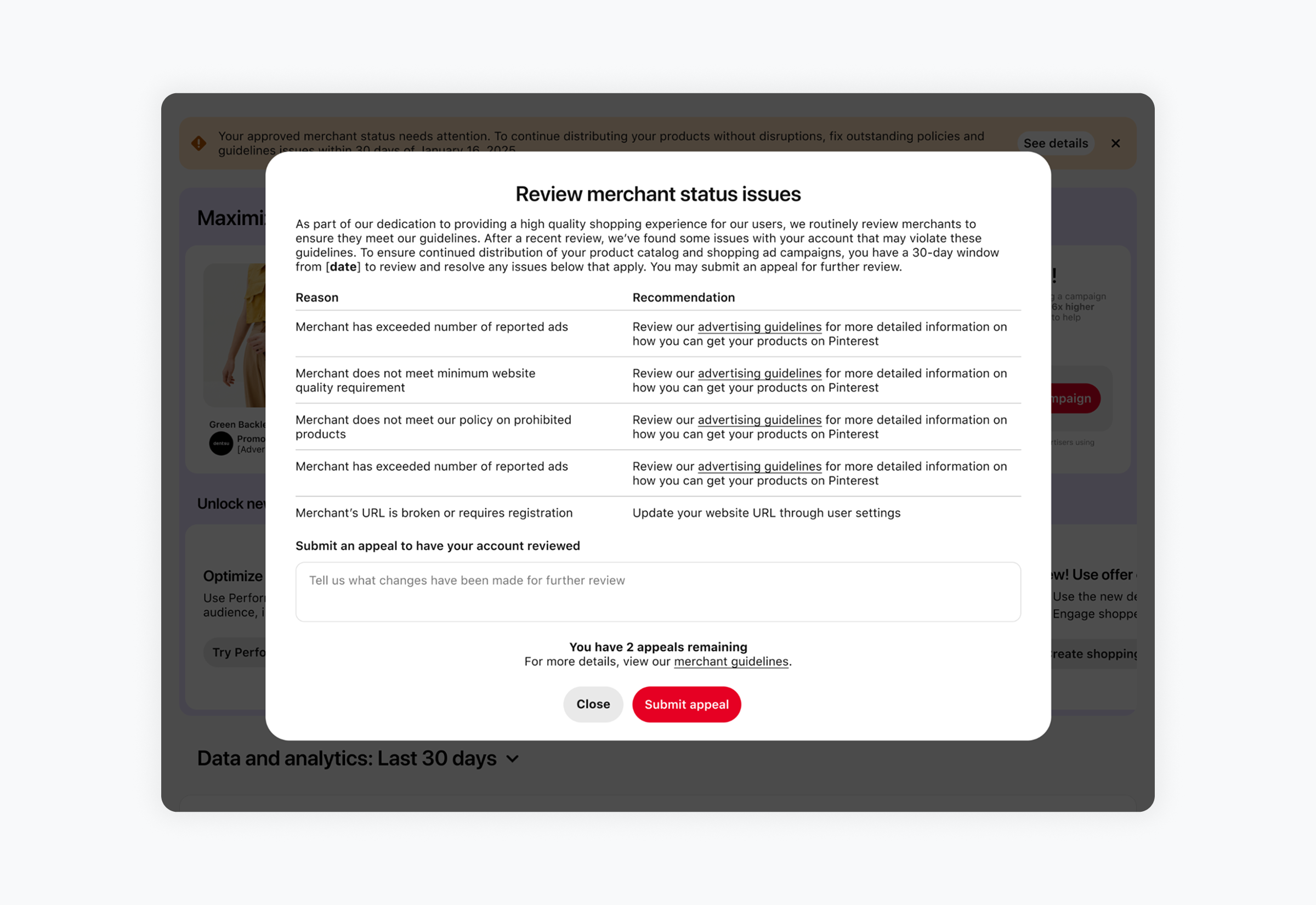
Pinterest reviews merchants to protect the shopping experience and keep only high-quality merchants on the platform. I led a cross-functional workstream with Research, Marketing, Compliance, and Ops to redesign what merchants see when a review finds a problem.
The challenge - Merchant review had been a black box. When a merchant was flagged, they got a single vague reason, with no clear rule behind it and no clear next step. That was hard on merchants, who had to guess what was wrong, and on Pinterest, which was enforcing rules that merchants couldn't see.
The approach - I made the rules visible and the next step explicit. Each issue names the policy involved and pairs it with a recommended action. Merchants are told in the product, with a clear deadline, and can submit an appeal once they've made changes. The same communication runs through every step of the review, so merchants always know where they stand. The principle: a rule only works if the people it applies to can see it.
Supplemental Feed
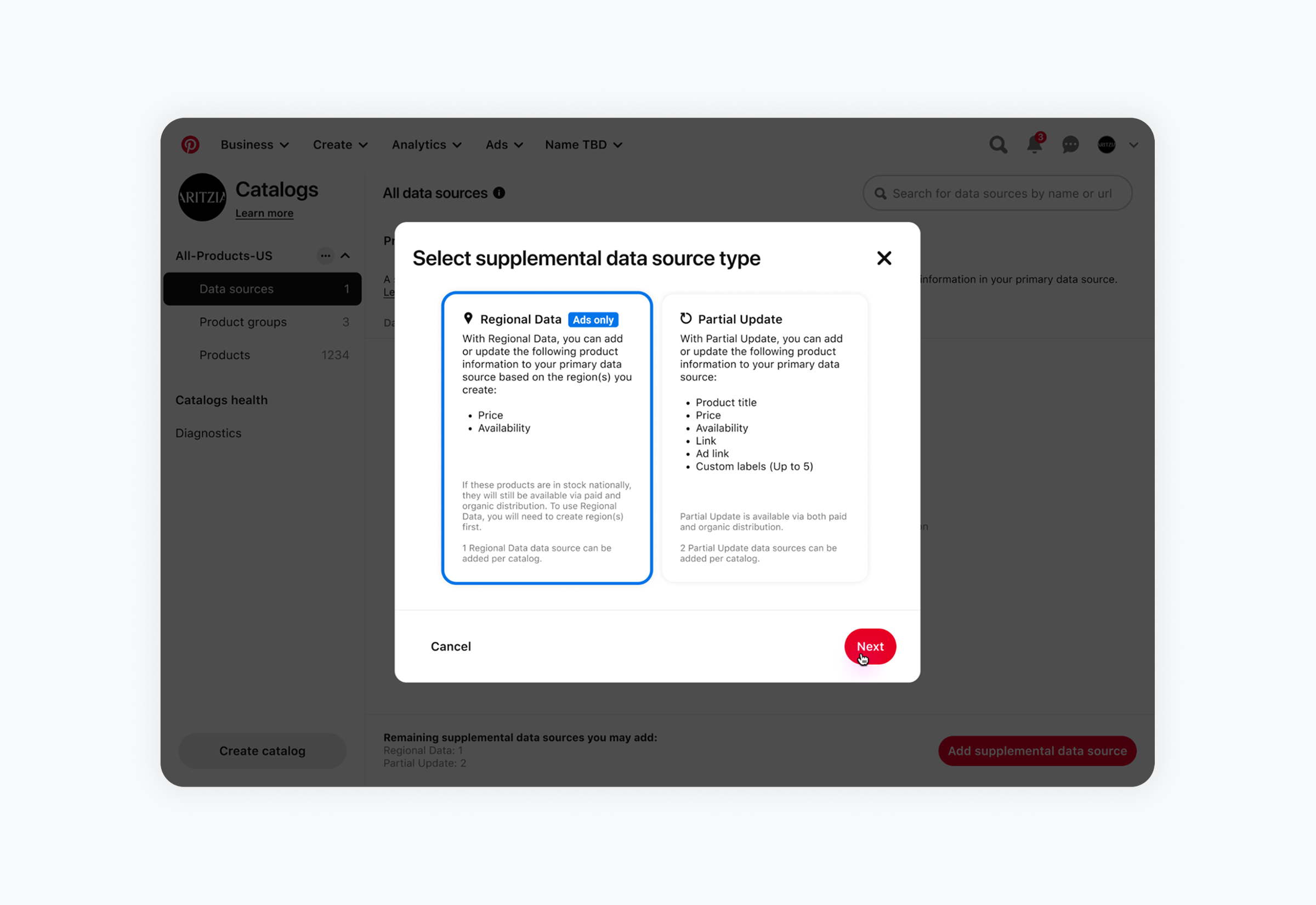
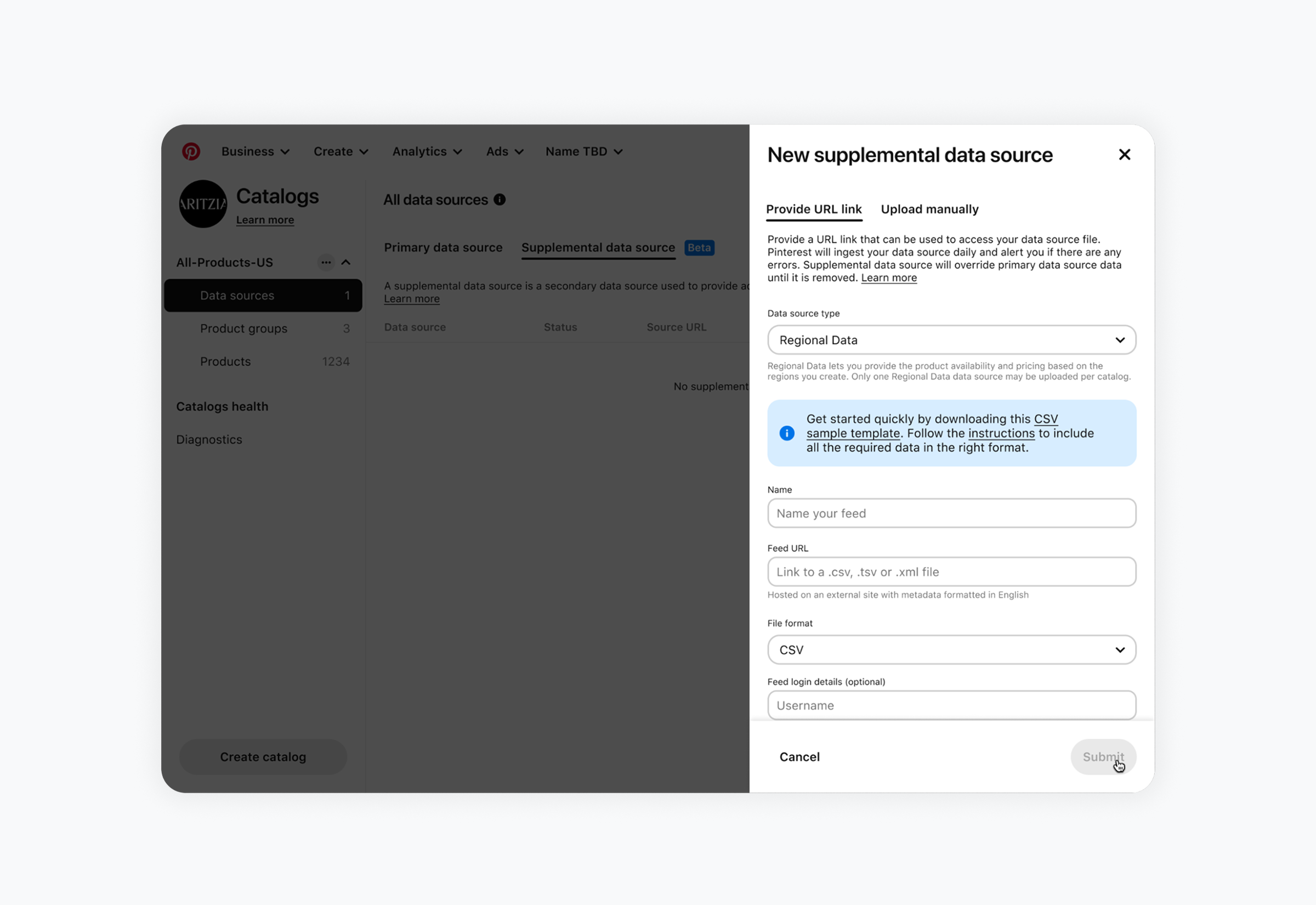
Supplemental Feed lets merchants change their product data without re-uploading their entire catalog. It closed a feature gap and gave Pinterest a foundation for supporting large and enterprise merchants.
The challenge - Before it existed, any change to a catalog meant re-uploading the primary feed. For a small merchant that is an inconvenience. For a large merchant, it is a nightmare.
The approach - I designed supplemental data as a layer on top of the primary feed, not a replacement for it. A supplemental source overrides only the fields it contains and stops applying when it is removed. Two types cover the main needs: Regional Data for price and availability by region, and Partial Update for fields like title, link, and labels. Each type states its limits up front, so merchants know the rules before they build. The principle: let merchants change what needs changing and leave the rest of the catalog alone.
New Business Onboarding
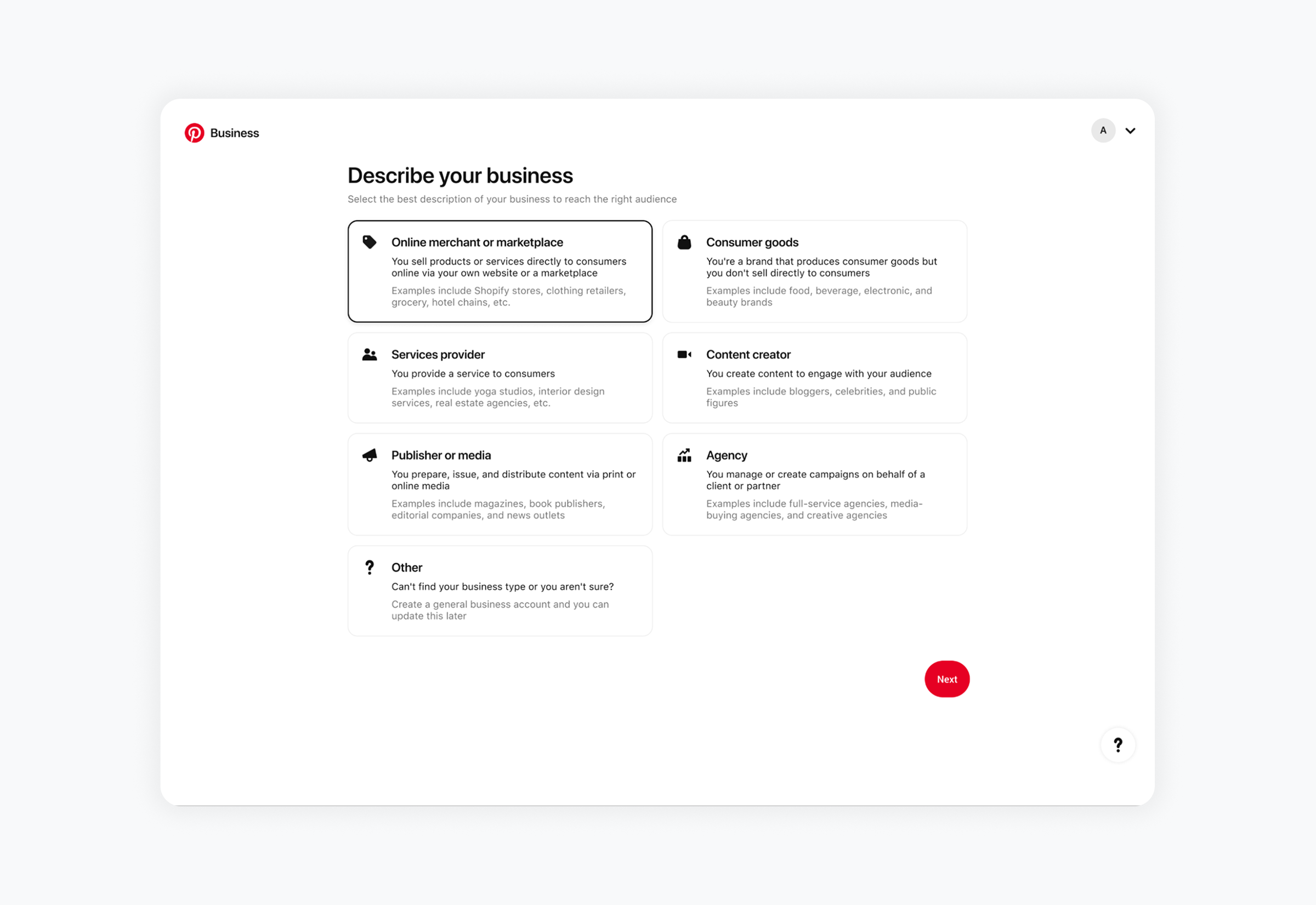
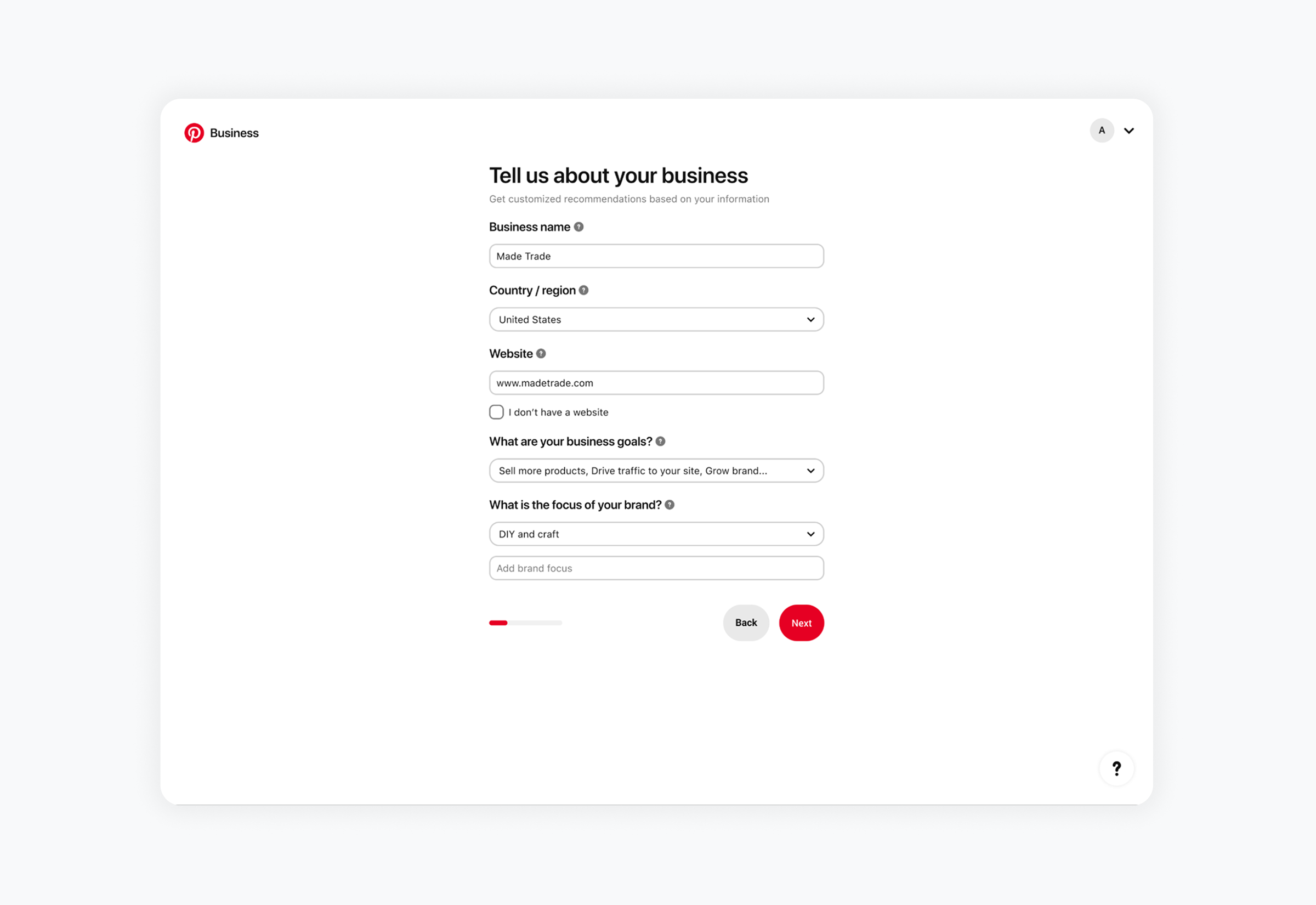
I worked with Sales, Research, and Machine Learning to redesign how businesses join Pinterest, creating tailored pathways based on each business's goals.
The challenge - Everyone wanted more questions answered. Sales and Machine Learning needed signal to understand who a business was and how to help it. But our data showed that every extra question increased drop-off, so each one cost us businesses before they had even started.
The approach - I treated every question as something that had to justify its place. Each one either shapes the path a business sees next or gives Sales and ML a high-intent signal about who to bring into a managed relationship. Business types come with plain examples, like Shopify stores or clothing retailers, so people can pick the right one without guessing, and an "Other" option keeps anyone from getting stuck. The result is a short flow that still captures what matters from top-tier advertisers. The principle: a question earns its place only if the answer changes what happens next.
Campaign Creation Improvements
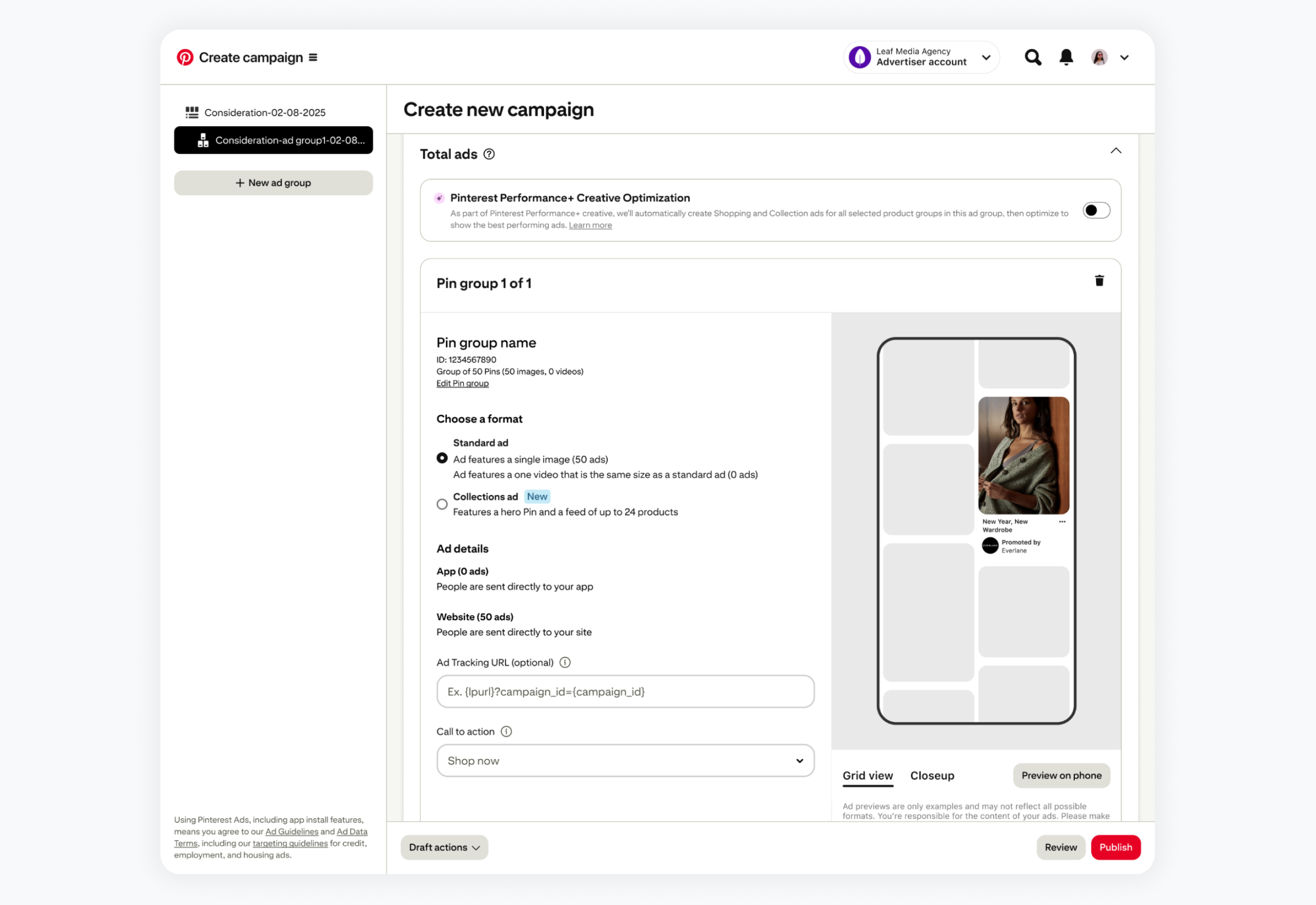
Catalog Sales campaigns let merchants advertise products straight from their catalog. As we added more advanced tools for complex marketing strategies, the creation flow risked getting harder for everyone, so I kept improving it through a steady run of smaller upgrades rather than one big redesign. The goal never changed: add capability without adding complexity, and keep the experience consistent and scalable as advertisers' needs evolved, in service of Pinterest's longer-term business goals.