Role
Lead Product Designer
Year
2016 - 2022
Teams
- Google Payments Platform
- Google Fi
- Google Local Services Ads
Business Buyflow
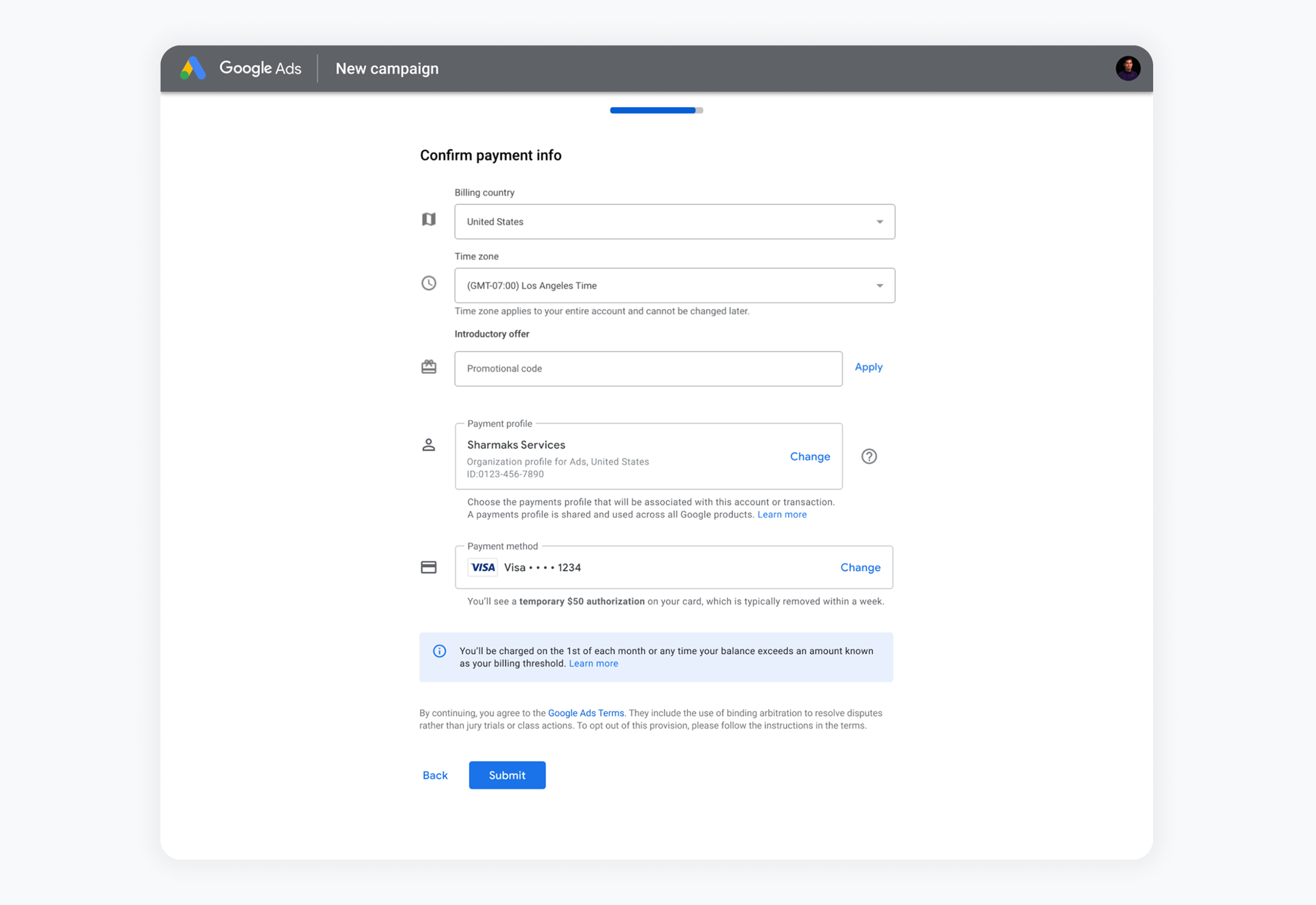
Any Google product that needs a buyflow uses the one built by the Payments Platform team I worked on. I led the redesign of that buyflow for enterprise and international customers, whose needs vary widely by size, country, and setup.
The challenge - A shared platform has many customers inside the company. Every product team wants the buyflow to fit its own product, and every market adds its own requirements, from local tax IDs to local payment methods. Consistency and scalability were the goals, but a flow that tries to satisfy every team equally ends up serving none of them well.
The tradeoff - So I had to decide whose needs came first. Google Ads and Google Cloud generate the most revenue, so I put their needs first where it mattered most: how far the buyflow could be customized. That didn't mean ignoring everyone else. Alongside the rich customization built for high-impact teams, I designed an out-of-the-box vanilla version with all the core functionality and support for the most common customization scenarios. For the long tail of smaller integrators, vanilla was enough. Finding the balance among all of these constraints was the core of the project.
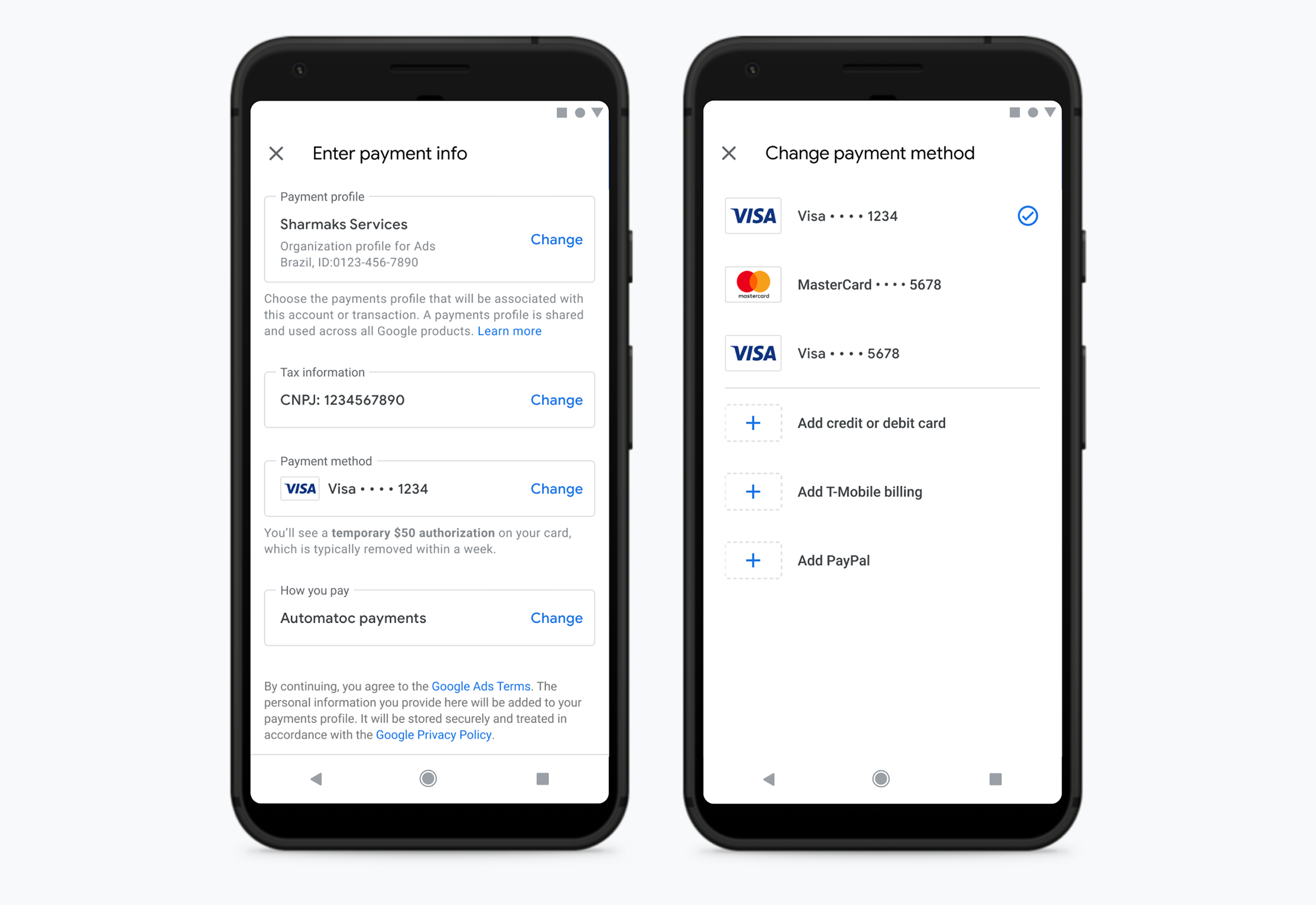
The framework - Underneath both versions is one structure. The flow is built from modular rows, each showing a current choice, such as payment profile, tax information, payment method, or how you pay, with a way to change it. A market-specific requirement, like Brazil's CNPJ tax ID, becomes one more row instead of a new flow, and the same structure works inside Google Ads campaign creation and on mobile. I also surfaced the consequences of paying before submit, like the temporary $50 authorization and settings, such as time zone, that can't be changed later. The principle: put customization where the impact is, and make the default good enough for everyone else.
Test Studio
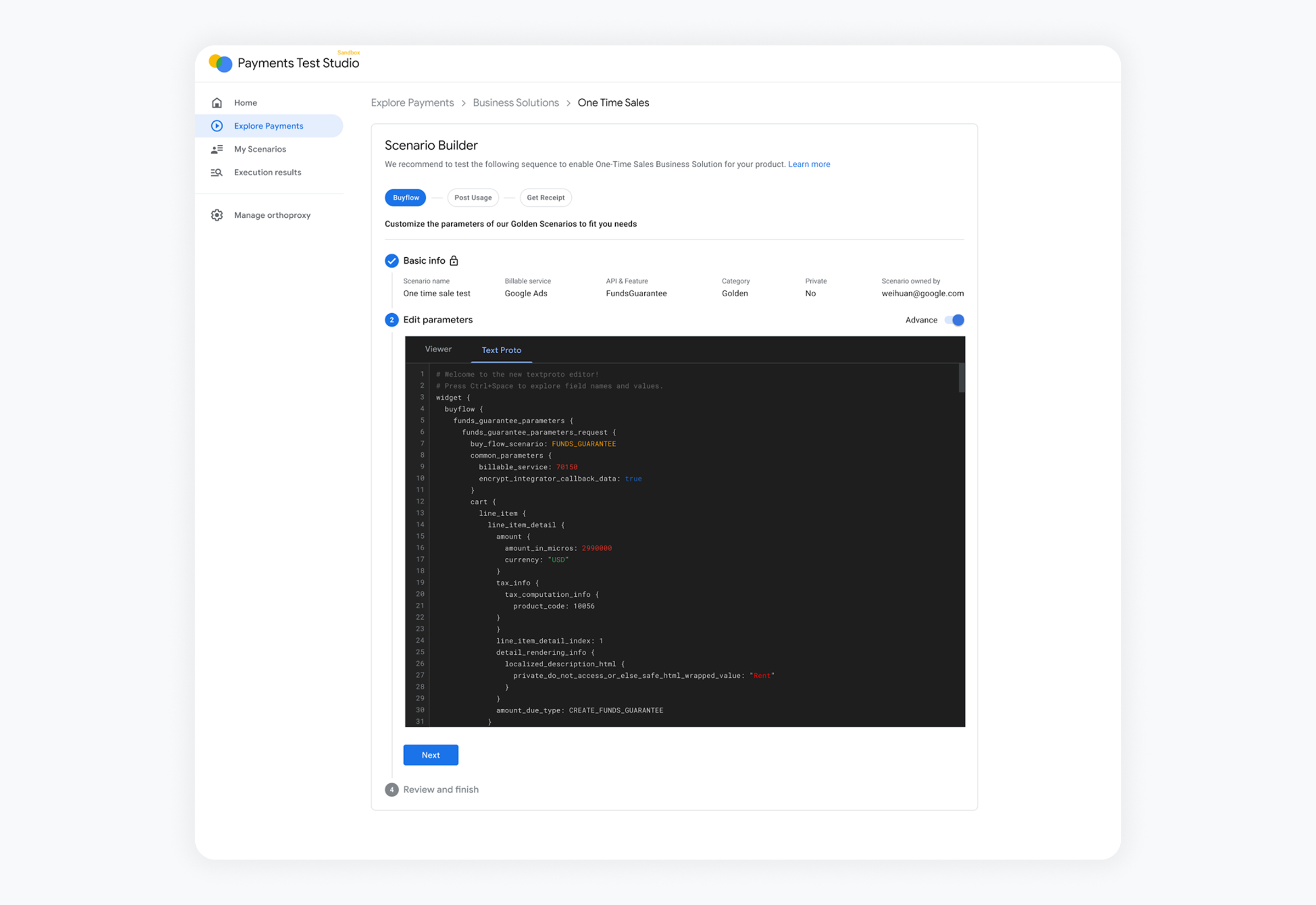
Payments Test Studio is an internal sandbox where teams test their integrations with Google's payment systems, similar to Stripe's testing environment. I led its end-to-end design, building it from the ground up.
The challenge - There was no visual way to try the payment systems. Testing meant working through API references and developer docs, a high bar that in practice limited it to engineers.
The approach - I made it visual. Instead of assembling requests by hand, teams build a test scenario step by step in the browser, starting from Golden Scenarios: recommended sequences for common business solutions, such as buyflow, then post usage, then receipt for one-time sales. Parameters can be edited in a viewer, and an advanced mode opens the raw request for engineers who want full control. The goal was to let many more people play with a payment feature quickly in a sandbox. The principle: lower the bar to start without lowering the ceiling.
Google Local Services Ads
Local Services Ads connects people with local providers, like plumbers and cleaners. I led the end-to-end design of Google's first business portal for these providers, and conceptualized and launched every provider-facing feature, helping extend Google Ads into home and local services.
The challenge - This was a true zero-to-one product. It sat inside the Google Ads family, but its users couldn't have been more different from traditional advertisers. Many local service providers aren't technical, and for a lot of them this was their first encounter with digital marketing. And unlike traditional ads, these providers go into customers' homes, so safety had to be part of the product.
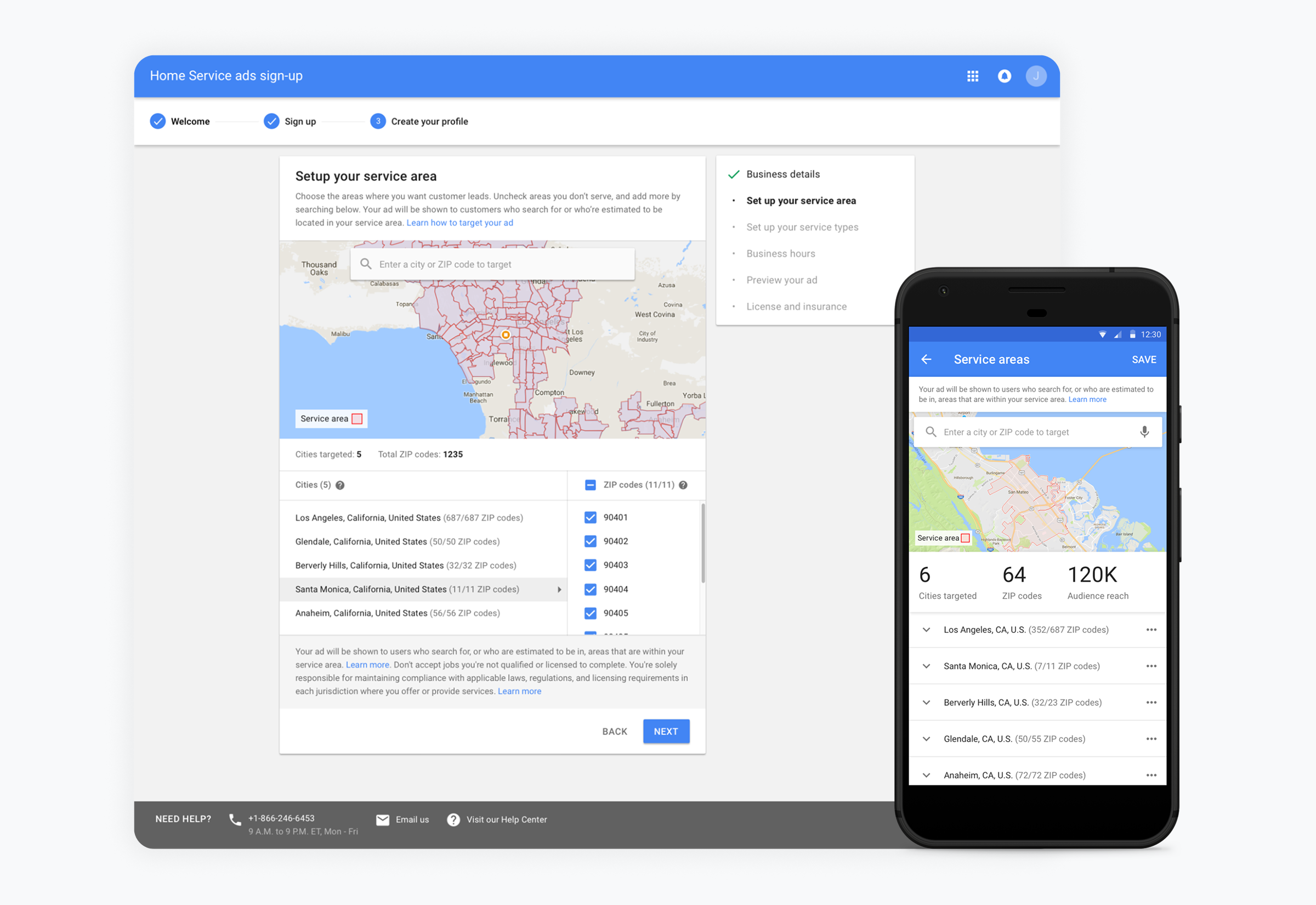
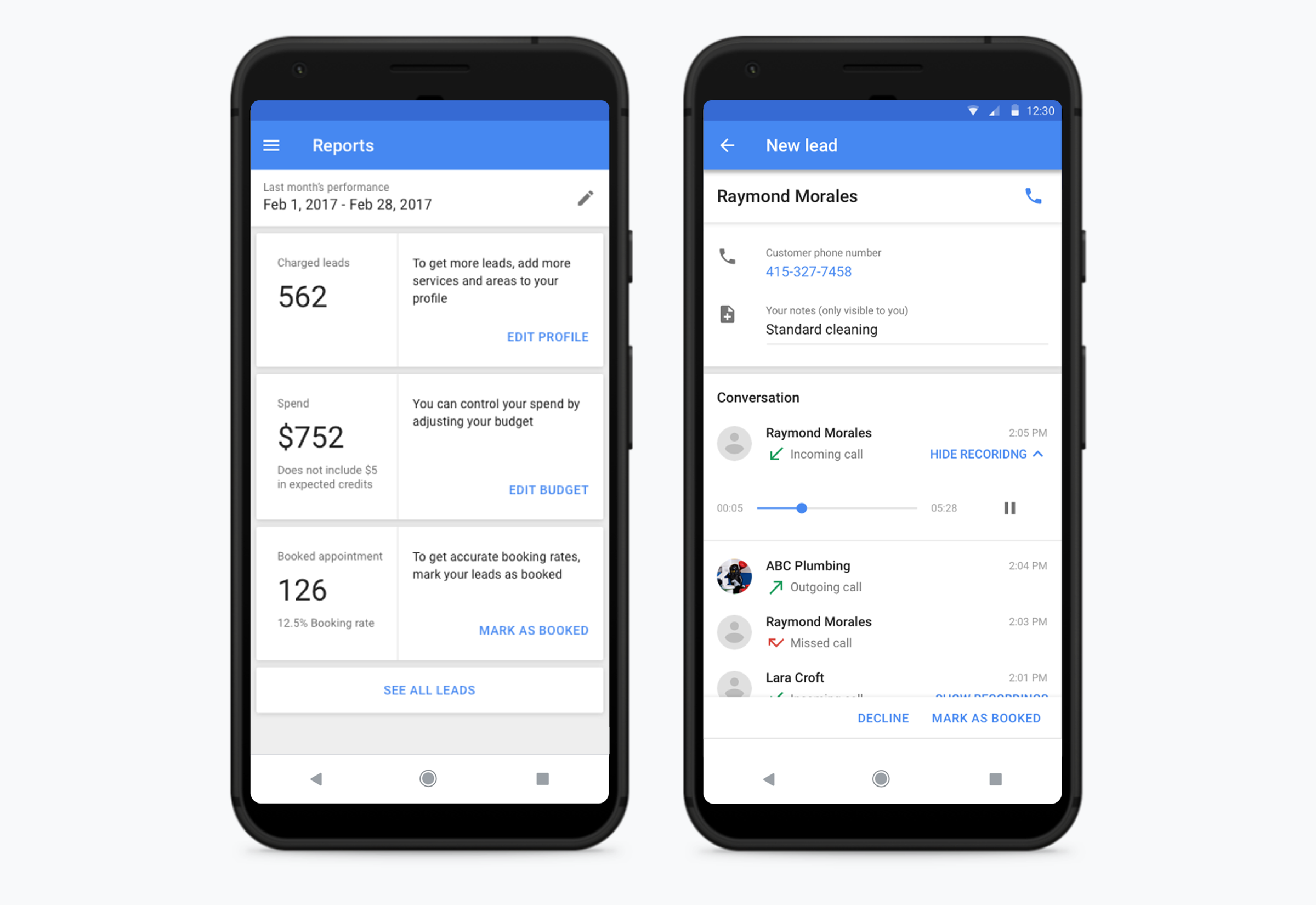
Making it simple - I designed everything for people who had never run an ad. Onboarding is a short series of steps in plain language, and it teaches providers how to manage their business as they go. Setting up where they work is a map of the areas they serve, not a keyword list. Reports pair each number with a suggestion, like adding services to get more leads. And on mobile, a lead is a person: a phone number, a recorded call, and one button to mark the job as booked.
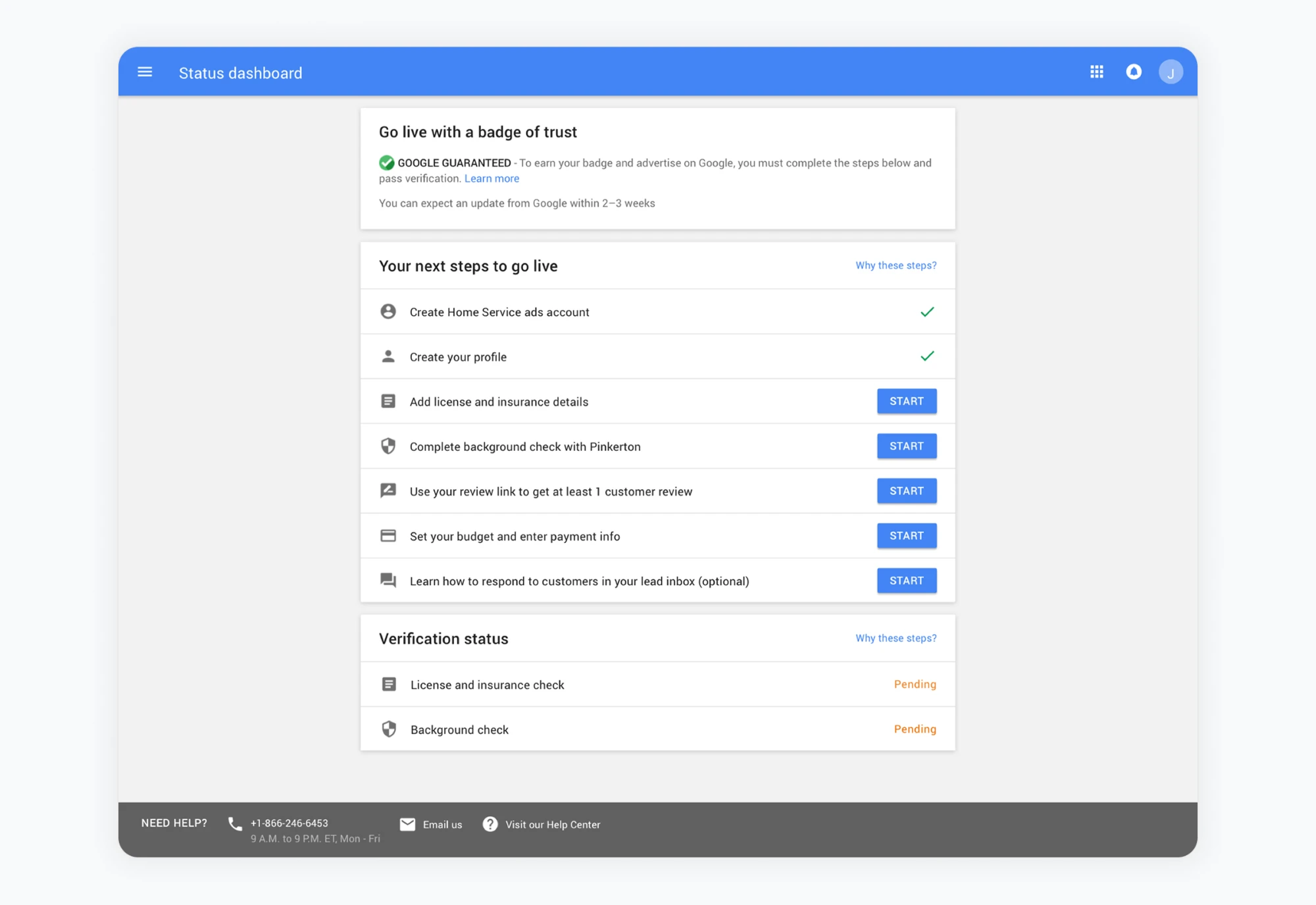
Making it safe - Because providers enter people's homes, safety had to be part of the product. To earn Google's badge of trust and go live, a provider must submit license and insurance details and complete a background check, and these are the steps where providers drop off the most. They ask busy people for documents and personal information before they've seen a single lead, so I designed them as hand-holding, one step at a time. A progress checklist always shows what's done and what's next. Providers who don't have their documents at hand can skip for now and come back. A status dashboard shows each check as pending until it clears, says when to expect an update, and explains why each step exists, with help always within reach. The principle: the less users know, the more the product has to teach, and the more it has to protect.